
An events calendar that stays fast.
A “what’s on” section readers can browse and editors can keep up to date without fuss. Built for local news sites, venues and community groups that list hundreds of events a month, and the straightforward way off The Events Calendar.
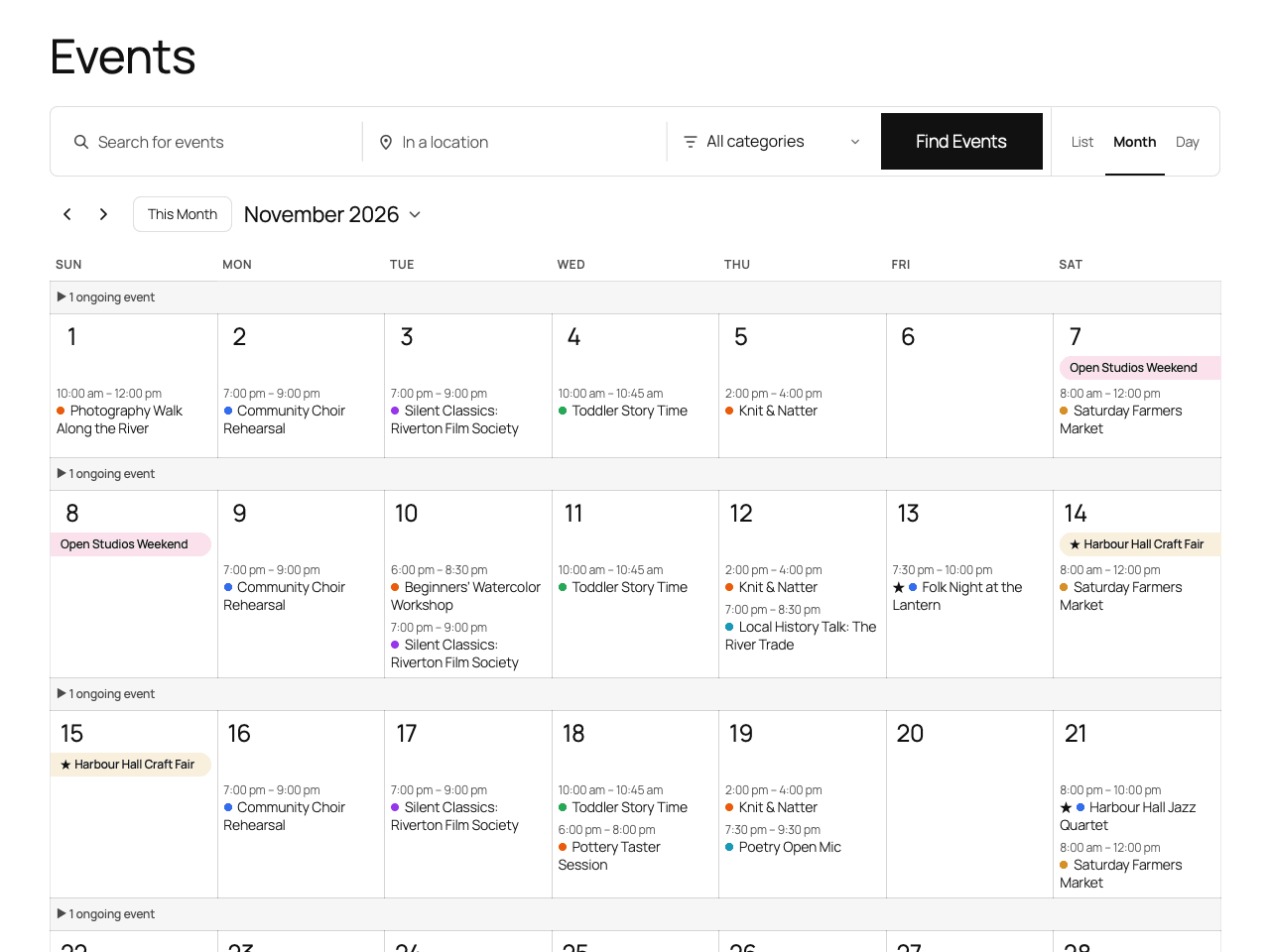
Events, venues and organisers
Under one Calendar² menu with its own user permissions. Categories can each have a colour, and merging two keeps the old category addresses working.
One clear box for editors
Start and end, all day, timezone, cost as free text (“Free”, “$15–$55”), venue, organiser, website, status and a featured flag. Works in the block editor and the classic editor.
Repeats, written as a sentence
Daily, weekly on chosen days, monthly on a date or “the third Saturday”, or yearly. Every N, ending never, after N times or on a date, and you can skip single dates.
Month, list and day views
At /events/, with search, category, venue and featured filters that work without JavaScript. Single event, venue and organiser pages carry schema.org event data for search engines.
Fast on a big calendar
Every date of a repeating event is stored once in a small indexed table, so a calendar page reads only the rows it shows instead of working out repeats on every view.
Ordinary WordPress posts
Events are posts, so featured images, revisions, comments, sitemaps and SEO plugins work as usual. The calendar uses your theme’s fonts, colours and buttons.
Shortcodes, feeds and links
[calendar2] puts a calendar on any page and [calendar2_upcoming] lists what’s next. An iCal feed readers can subscribe to, and “Add to calendar” on every event.
An admin list that starts with what’s next
Upcoming first, with date, category, venue and source filters, Quick Edit for dates, cost and status, Duplicate, and bulk “Mark canceled” and “Feature”.
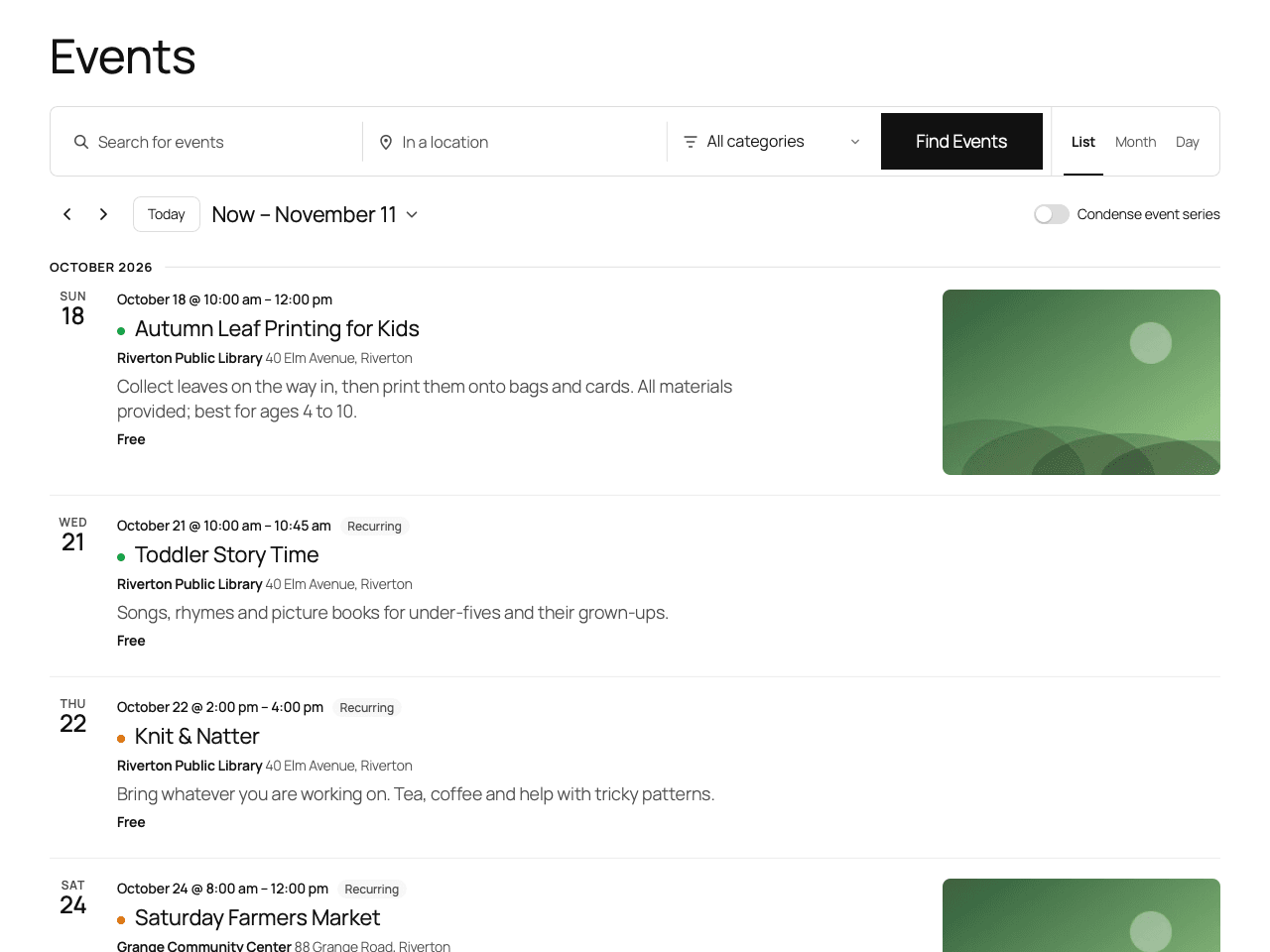
List view, grouped by month, with event images and repeating events labelled. 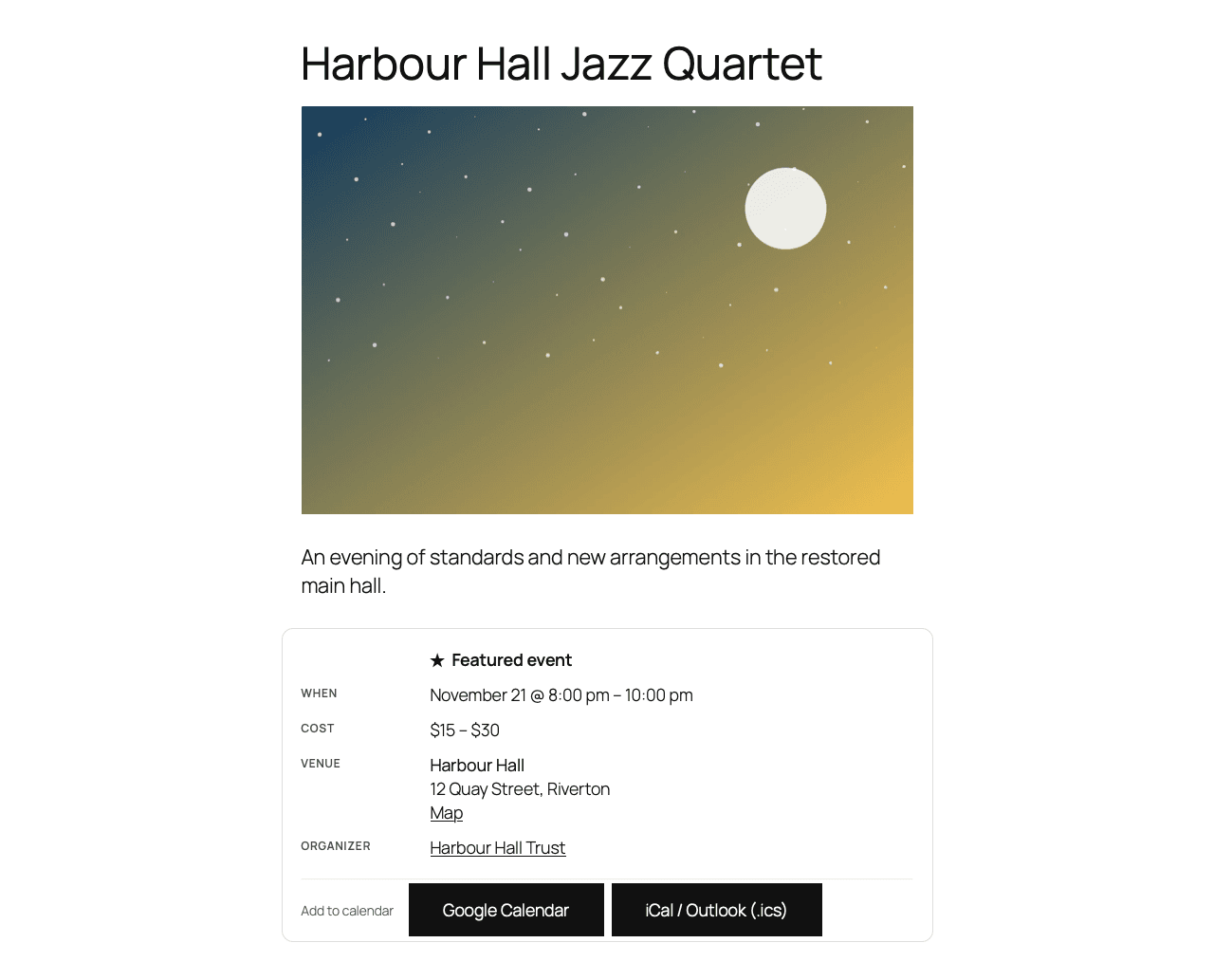
A single event: date and time, cost, venue with a map link, organiser and add to calendar. 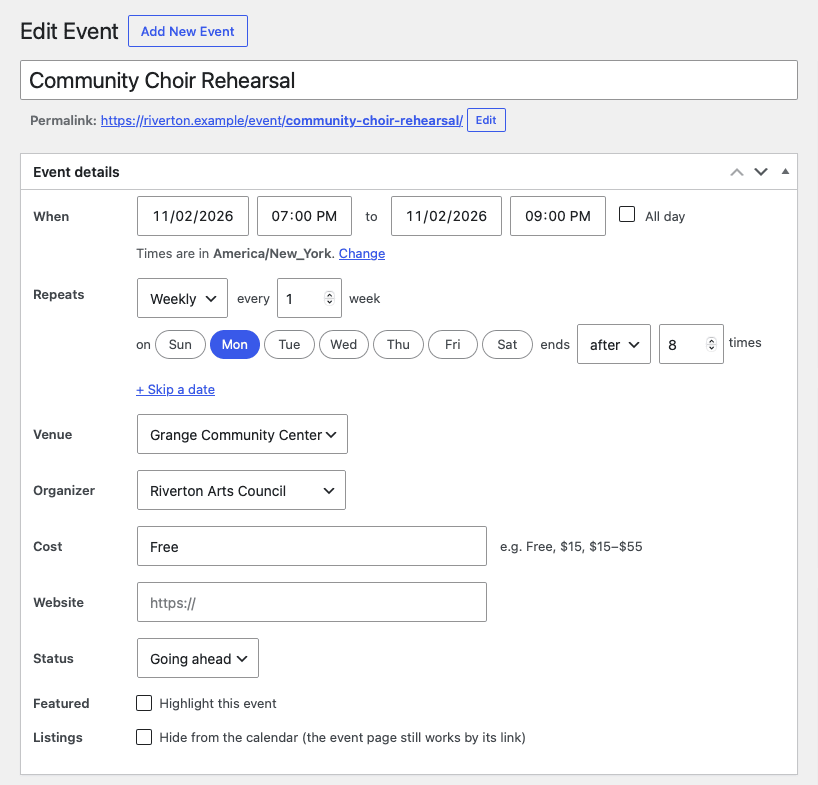
The event editor: plain date and time fields, and the repeat rule in one row. 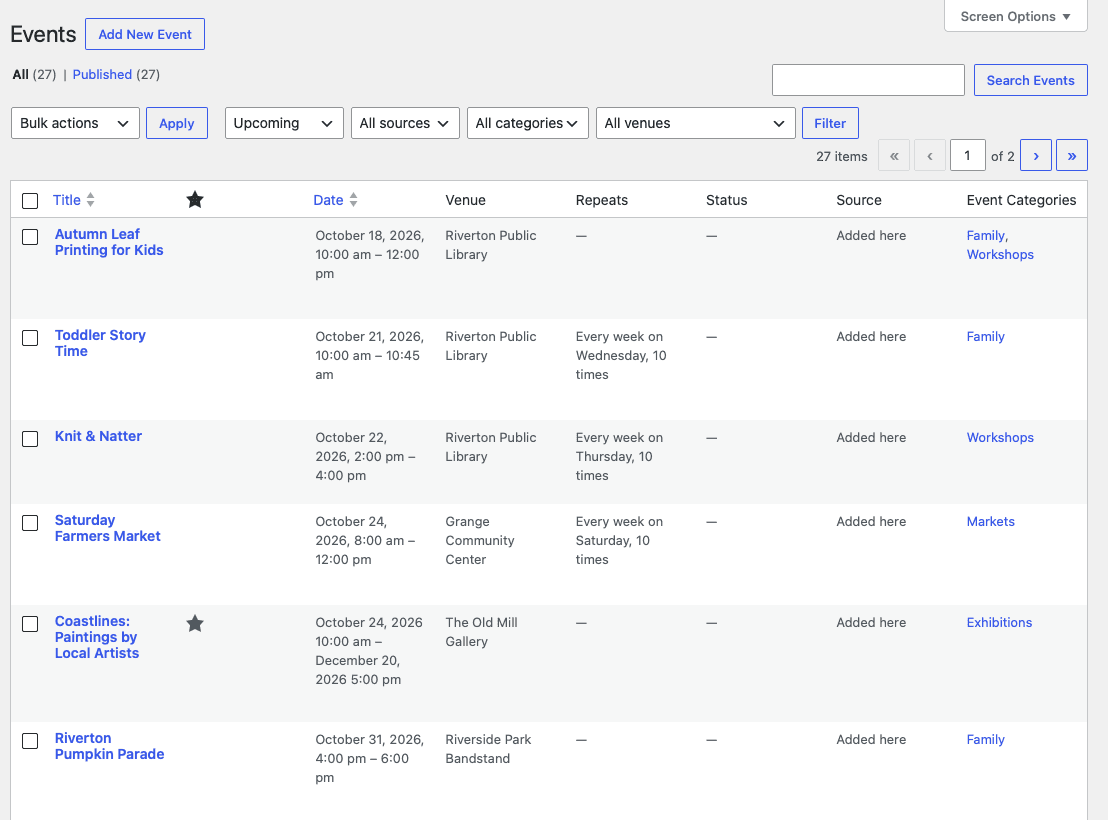
The admin events list: upcoming first, with filters, venues and repeat rules at a glance.
Calendar² runs alongside The Events Calendar without taking over its addresses, so you can install it, look around and switch when you’re ready. Moving from another site that runs The Events Calendar? Import it with one WP-CLI command.
Dry run
Shows exactly what will move: events, venues, organisers and categories, and anything that won’t carry over.
Private preview
Check the result on your own site while visitors still see The Events Calendar.
Switch
Takes over your existing events in place, keeping their IDs, images and addresses. Old event links and [tribe_events] shortcodes keep working.
Roll back if you need to
Changed your mind? Switching back hands your events, venues and organisers back to The Events Calendar.
- to migrate 1,000 events
- 24 s
- to switch 10,000 events
- 4.6 s
- to roll 10,000 back
- 3.0 s
Preparing 10,000 events took about 20 minutes, while the site kept running The Events Calendar. A switch and a roll-back with no edits in between gave back every original post exactly as it was.
Everything a calendar needs is in the free plugin, with no limits and no account. Pro is for sites that take events from the public or pull them in from elsewhere.
Download Calendar² freePublic event submissions
A form visitors use to send in events, with an approval queue so nothing goes live until you say so.
Calendar feeds
Import events from iCal and RSS feeds, other Calendar² sites and sites running The Events Calendar, and keep them in sync.
Updates and email support
For as long as the licence runs. If it ends, Pro keeps working; nothing is switched off.
$79
One website. What most buyers need.
$149
A handful of sites, or a small agency.
$299
Every site you build or run.
Already bought? Sign in to your licences to download Pro, manage sites and billing.
- Can I move from The Events Calendar?
- Yes. Under Calendar² → Migrate, a dry run shows what will happen, a private preview lets you check the result, and only then does the switch take over your existing events, venues, organisers and categories in place, keeping their IDs, images and addresses. You can switch back afterwards.
- Is Calendar² fast on a big calendar?
- That’s what it’s built for. Repeating events are expanded once into an indexed table, and calendar pages, search and the iCal feed read only the rows they show.
- Does it work with my theme?
- The calendar uses your theme’s fonts, colours and buttons, with one accent colour you can set under Calendar² → Settings. It works with block themes and classic themes.
- What’s free and what’s in Pro?
- Everything on this page except two things is free, with no limits and no account. Pro adds public event submissions with an approval queue, and calendar feeds from iCal, RSS, other Calendar² sites and sites running The Events Calendar.
- What happens when a Pro licence ends?
- Pro keeps working. Nothing is switched off; you stop getting updates and email support until you renew.
- Do staging and local sites count towards my licence?
- No. A site is one WordPress installation, and staging, development and local copies are free.
- What happens to my events if I deactivate or delete the plugin?
- Deactivating never deletes anything. Deleting the plugin removes its events, venues, organisers, categories and settings only if you ticked the option to do so under Calendar² → Settings.
- Does Calendar² contact any outside service?
- Not on its own. The free plugin has no licence code, no phone-home and no nags. It only connects out when you ask it to, for example to import events from another site.
Moving a big calendar?
Tell us how your site is set up and a person replies, usually within two UK working days, with what carries over and what doesn’t.